
They do not write in the chat and do not click the form, they simply close the tab, and you see a visit rather than a question, so there is nothing to fix: the site looks fine from where you stand.
It comes up on a service or pricing page and stays right there.
Someone has decided nothing yet, and is already being asked for contact details.
It answers everyone the same way, and so it helps almost no one.
Someone does not follow how the price is worked out and is not ready to leave a phone number yet. The conversation explains what is known, clears up one detail, and goes to a person where a person is needed.
 Assistant on your website
Pricing page
Assistant on your website
Pricing page

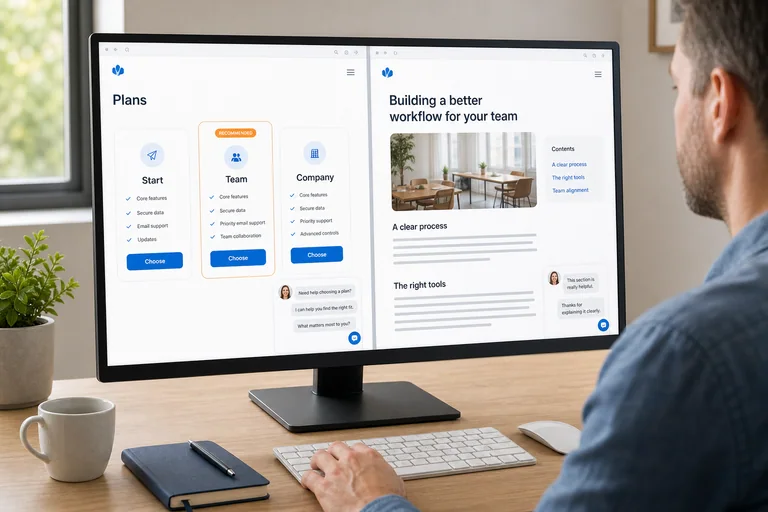
An ordinary chat answers everyone the same way and so helps no one. The behavior of SellerChat is set separately for each page that matters: what to explain, what to ask about, when to stay quiet and at what point to call a person.
The job of the widget here is to help before contact, not to work through tickets.
It answers from your knowledge base and admits what is not in it.

It answers from the material you approved. Where there is no data, it is built to show the gap rather than paper over it with confident text.

A visitor may arrive without a brief. The conversation helps put the task into words, and does not open with budget and phone number.

Contracts, complaints and anything outside the knowledge base go to a person, along with the reason for getting in touch and what has already been discussed.
A conversation is needed where a visitor is still working out what they need and comparing you with the next tab.
They write "we need marketing" or "not enough inquiries", but do not yet know which service they need.
They go through sites one after another, trying to see the difference in approach quickly.
They want to work out whether similar experience applies to their situation.
What they need is not a random figure but an explanation of what a project estimate depends on.
None of these things guarantees a sale. They change what the conversation with a customer starts from.
They do not have to leave a phone number just to clear up one detail.
You can see which page the person came from and what has already been explained to them.
The conversation is handed over with its context instead of starting again.
Conversations show which explanation the page was missing.

The one where the question comes up most often. You do not have to rebuild the site.
Pages, FAQs and documents the widget is allowed to answer from.
What to discuss, what not to promise and at what point to call a person.
Ask the awkward questions and adjust the strategy until the answers satisfy you.
1 site and 10 conversations a month are free with no time limit. Any other combination starts at a base price of $9.90 a month. Team members, the size of the knowledge base and the number of pages on your site do not affect the price.
On the free volume the widget may show a SellerChat label.
Worked out from two parameters

People ask different things on a pricing page and on a service page, which is why chat behavior is set page by page.

What to prepare before launch, and why it is worth taking one page first rather than the whole site at once.

How a form, a scripted button flow, a live chat and a conversation based on your own material differ.

The two parameters of the calculation, the free volume and the public price calculator.

Where the answers come from, what goes to the sales rep and at what point the conversation is handed to a person.

To get the real value out of AI, the work has to be designed for it from the start rather than bolted on afterwards.

Generative AI may well be the most important technology of our time.

Nobody knows about you as it is, and on top of that you are being modest
The one where the question comes up most often. You can leave the rest of the site alone.
It answers from your material, helps a person put their task into words, and passes the context of the conversation to your sales rep.
It does not guarantee sales. Where the data runs out or a person is needed, it goes quiet and passes the question on.

Set up the first conversation on the pages that matter: what to explain, which questions to ask, when to stay quiet and what to pass to your team.